
Just this year, we partnered with Vertafore® to make high-intent, appetite-matching, local insurance referrals more accessible to independent agents. Through AgencyZoom™️, Vertafore’s cloud-based sales automation platform, agents can now access their TrustedChoice.com referrals in one place, allowing them to easily manage insurance prospects and sell more business.
Read on to learn how you can easily integrate TrustedChoice.com referrals into AgencyZoom.
How to Integrate TrustedChoice.com Referrals into AgencyZoom
With just a few simple steps, you can start managing your TrustedChoice.com referrals within AgencyZoom.The following steps are only applicable to TrustedChoice.com agencies that receive either Claim-it Referrals (TrustedChoice.com Advantage Professional subscription or Advantage Producer subscription) or Consumer Choice Referrals (Advantage Professional subscription).
Here’s how to get started.
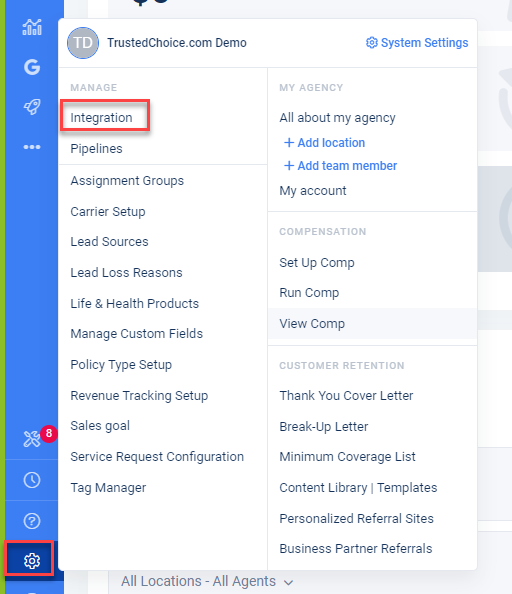
Step 1: In AgencyZoom, select the gear icon. Under the Manage section, select Integration.
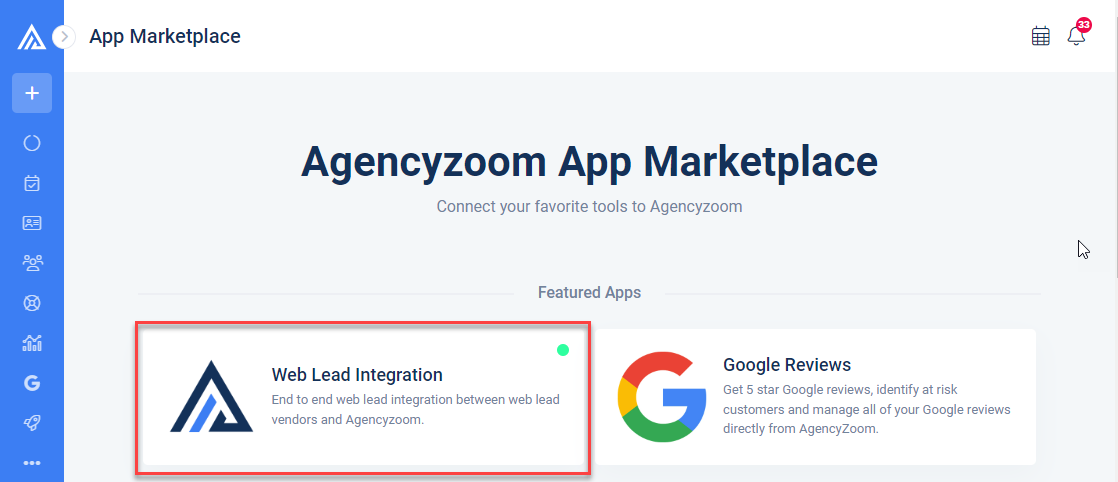
Step 2: You will be led to AgencyZoom’s App Marketplace where you will select Web Lead Integration.
Step 3: On the top right of your screen, select + Web Lead Integration. Next, choose which TrustedChoice.com referral type you would like sent to AgencyZoom.
NOTE: For each referral type you want to integrate, you will need to repeat steps 3-10.

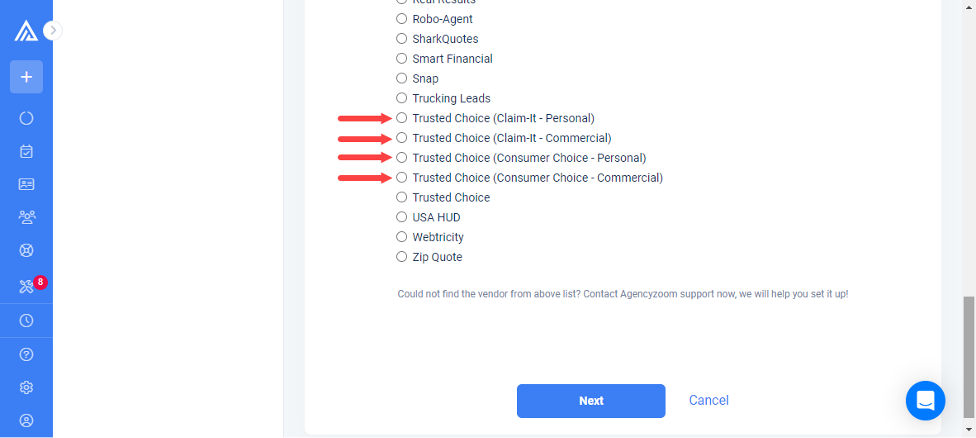
Step 4: Click the + Web Lead Integration button, then Select a Web Lead Vendor. Scroll down and choose from the type of TrustedChoice.com referral you’ll want to be sent to your AgencyZoom account. You’ll have to do one at a time dependent on your needs.
Step 5: For your lead source, select TrustedChoice.com from the dropdown menu.
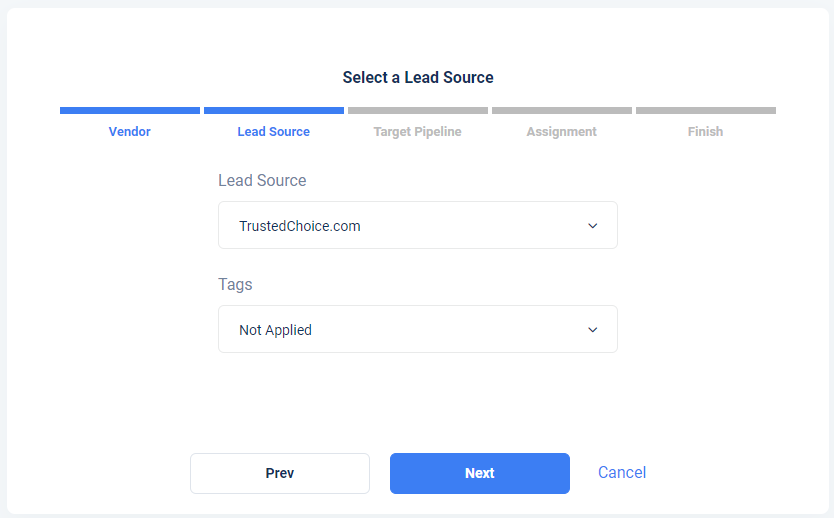
Step 6: Follow the steps wizard through to Finish, then click Back to Web Lead Integrations.
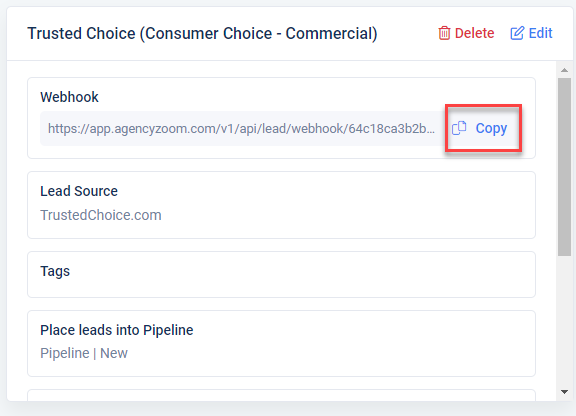
Step 7: For every TrustedChoice.com referral type you choose to set up, you will see an integration. Make sure to copy the ‘Webhook’ URL for each—you will save these in your TrustedChoice.com Agent Portal.
Integrate Your TrustedChoice.com Agent Portal into AgencyZoom
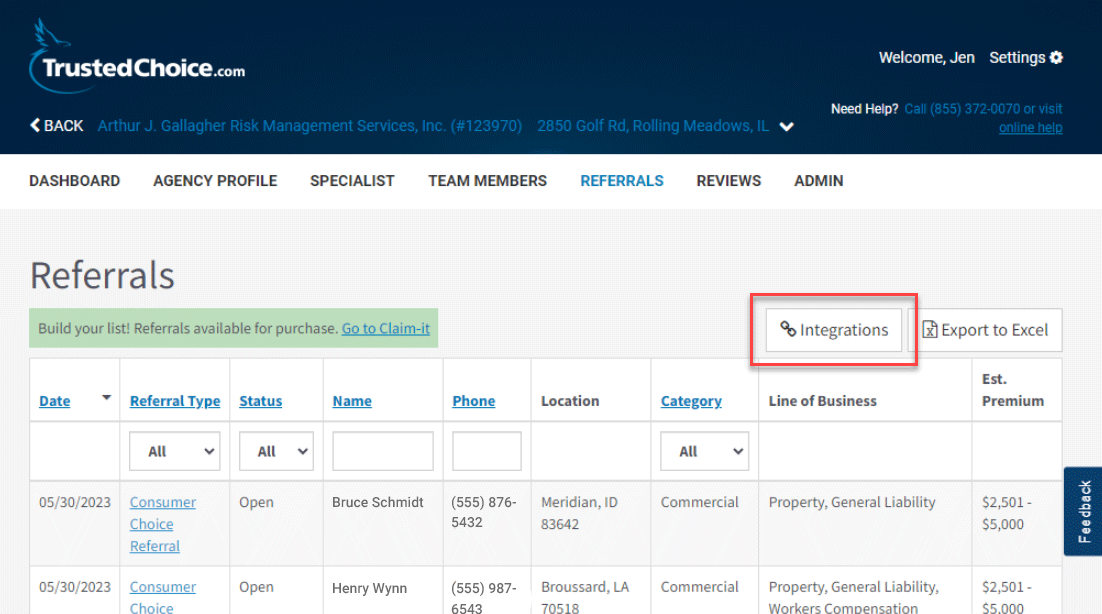
Step 8: Log into your Agent Portal. From the Referrals view, select Integrations, the leftmost option on the top right.
Step 9: Paste in the ‘Webhook’ URLs (Step 6) that you created in AgencyZoom into the appropriate field.
Example: If you created a webhook for commercial Consumer Choice Referrals, past the URL into the first box listed as “Consumer Choice – Commercial.”
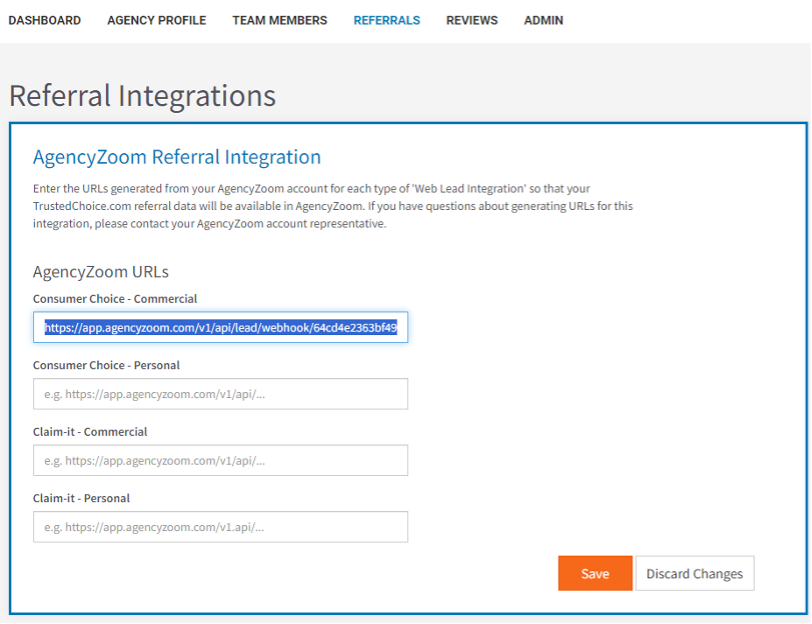
Click Save.
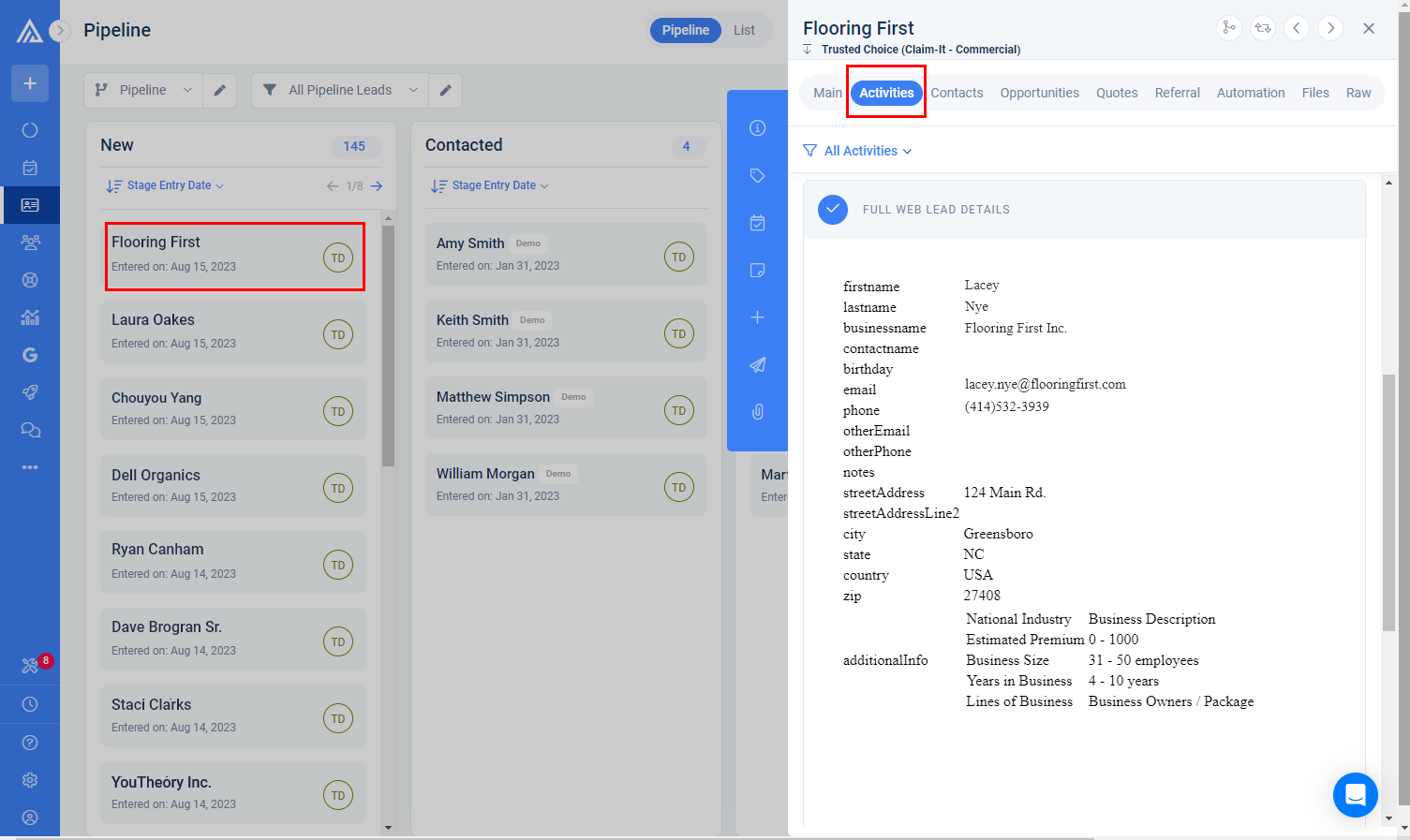
Step 10: Your TrustedChoice.com referrals will flow into AgencyZoom in the appropriate pipeline. To see your referrals, go back to AgencyZoom and select Pipeline (third icon beneath the “+”) in the left sidebar. Next, select the referral you would like to view and click Activities to see the full import of your TrustedChoice.com referral information.
With this integration, independent agents can more easily see, manage, and contact their TrustedChoice.com referrals from a single platform without needing to log into their Agent Portal. If you’re not receiving TrustedChoice.com referrals, see our Advantage subscription options or speak with an account executive to get started.